Getting started
Download to first bet in five minutes
Nothing to install. The screens run top to bottom once, and this page walks them in order.
Sign up
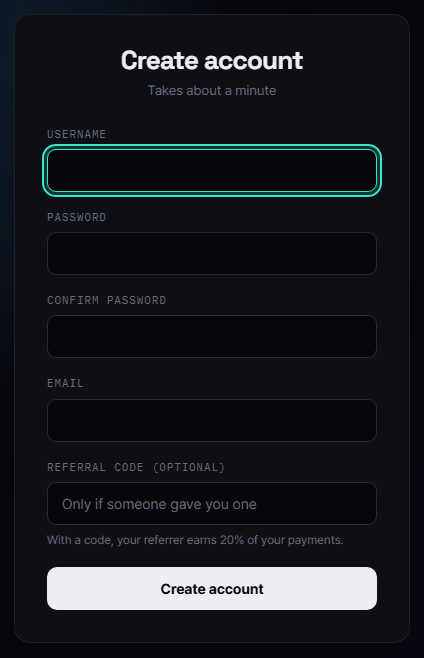
Go to Sign up and create your account with a username, password and email. Add a referral code if someone gave you one: it decides which Hiddenpicks open for you. No wallet address is needed here; you add it on the payment page.
Payment
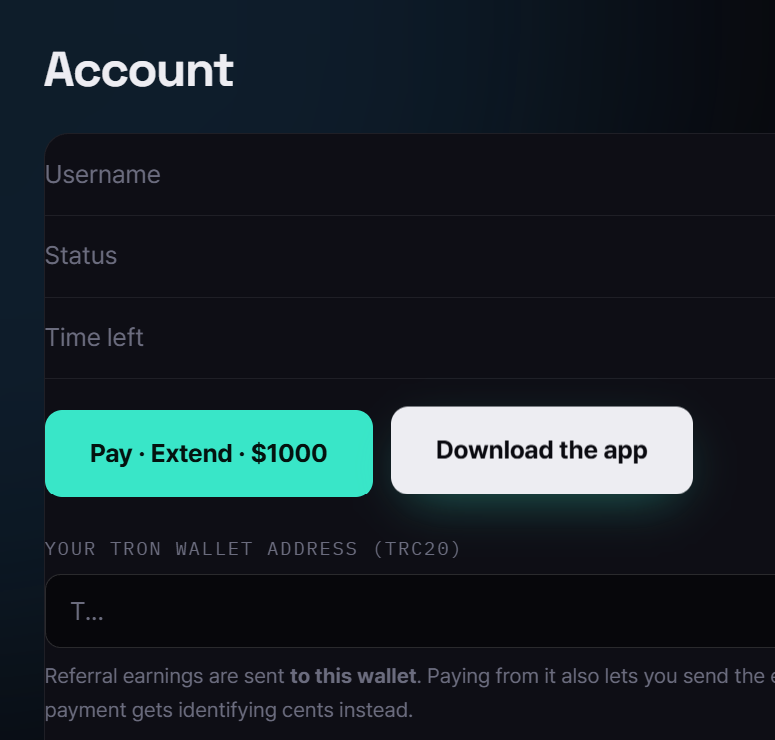
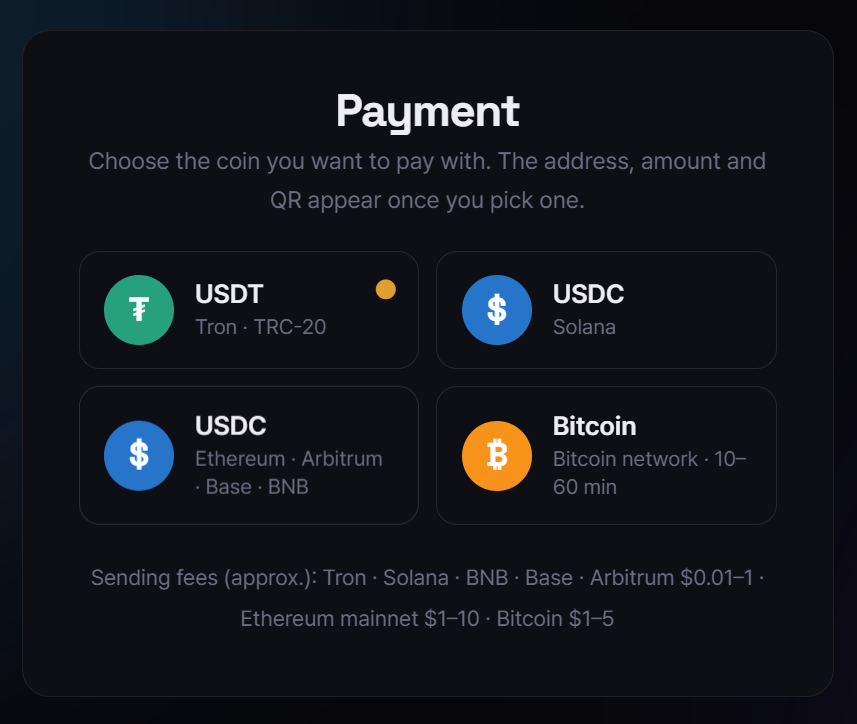
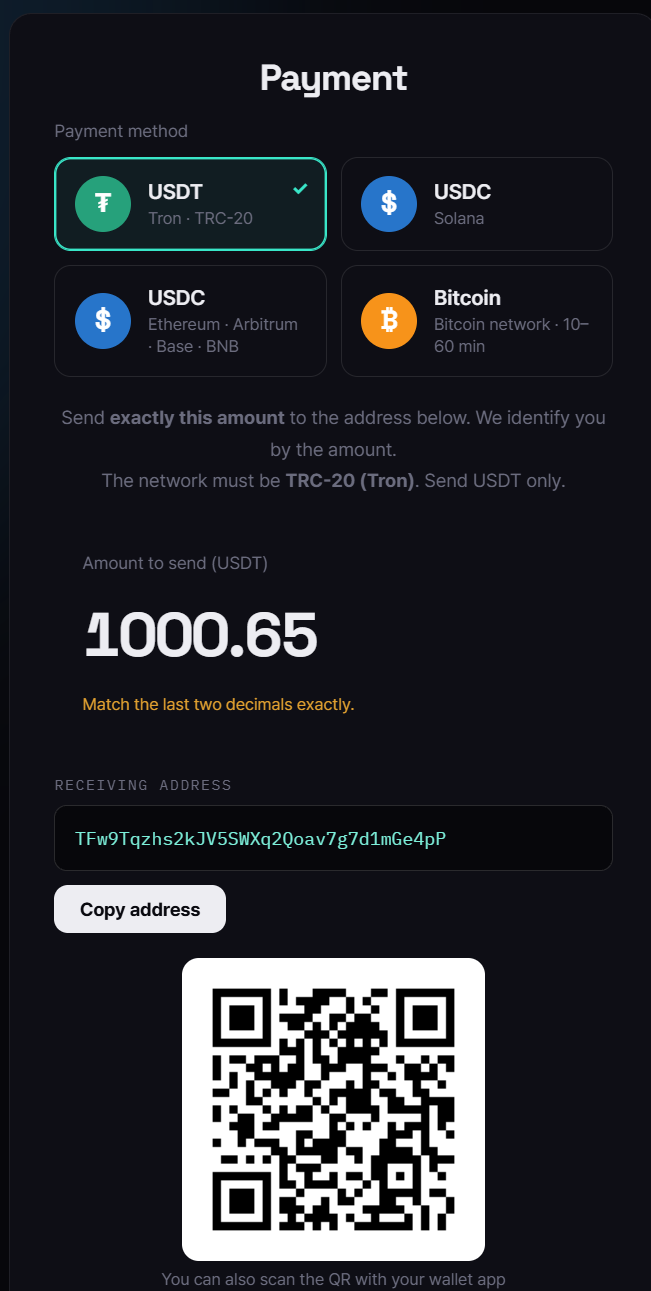
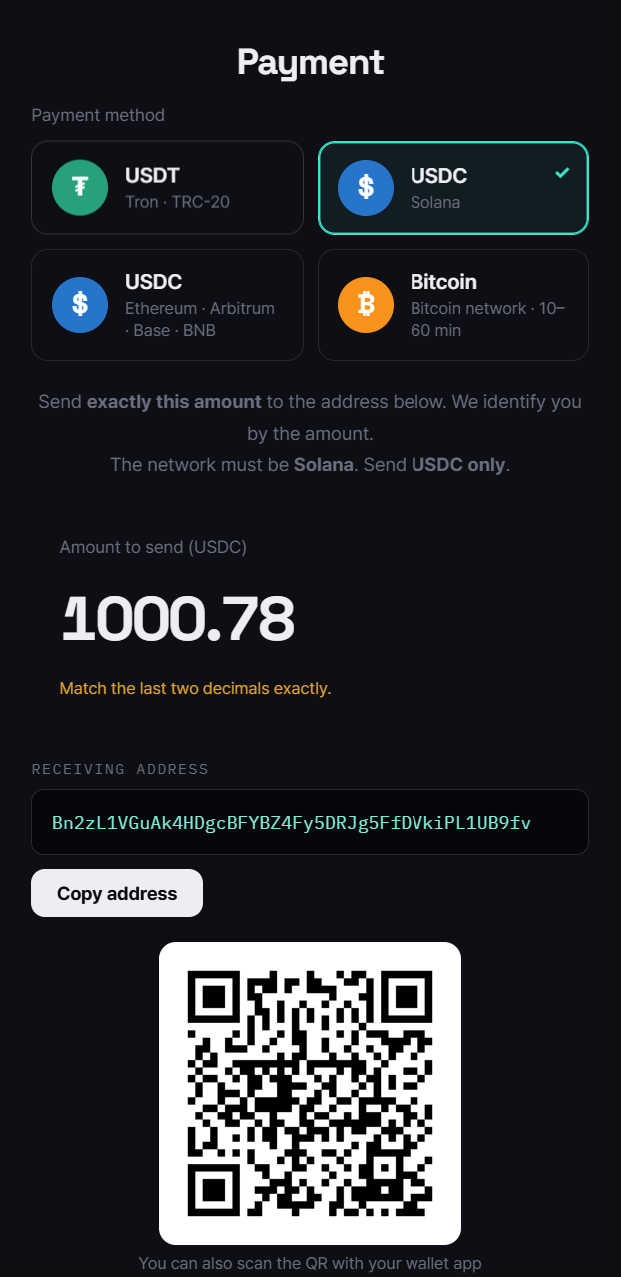
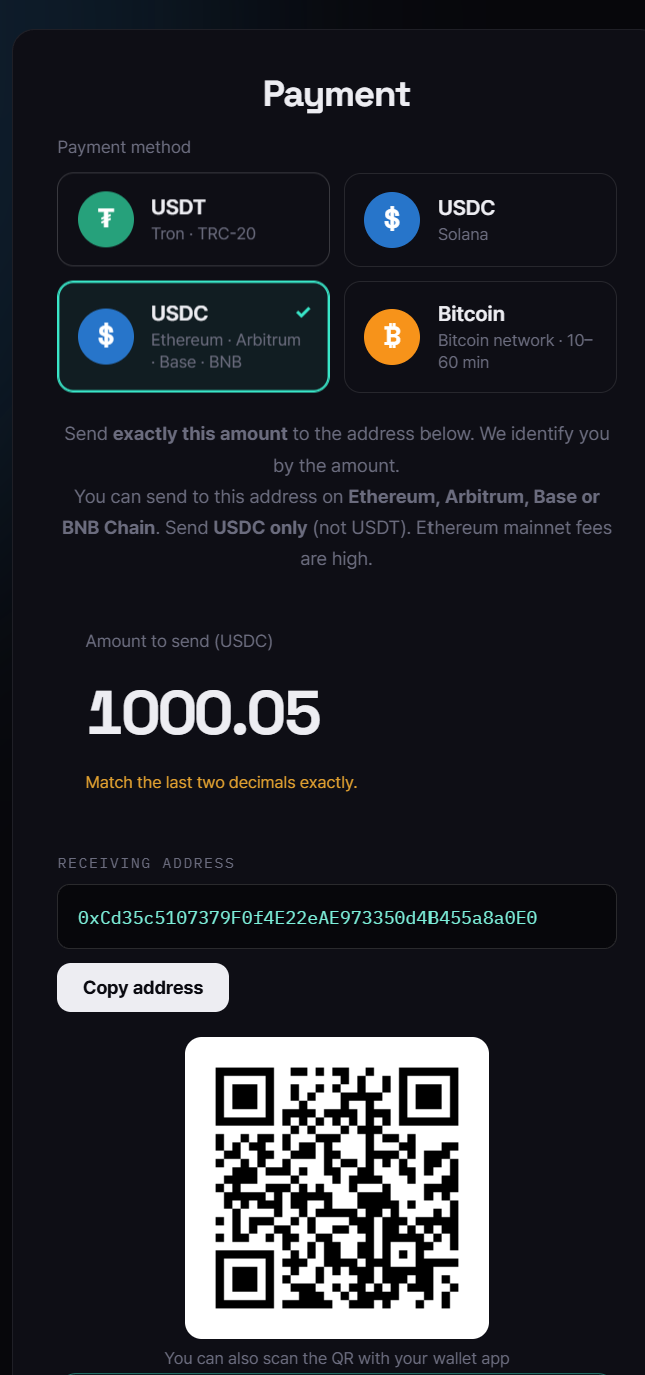
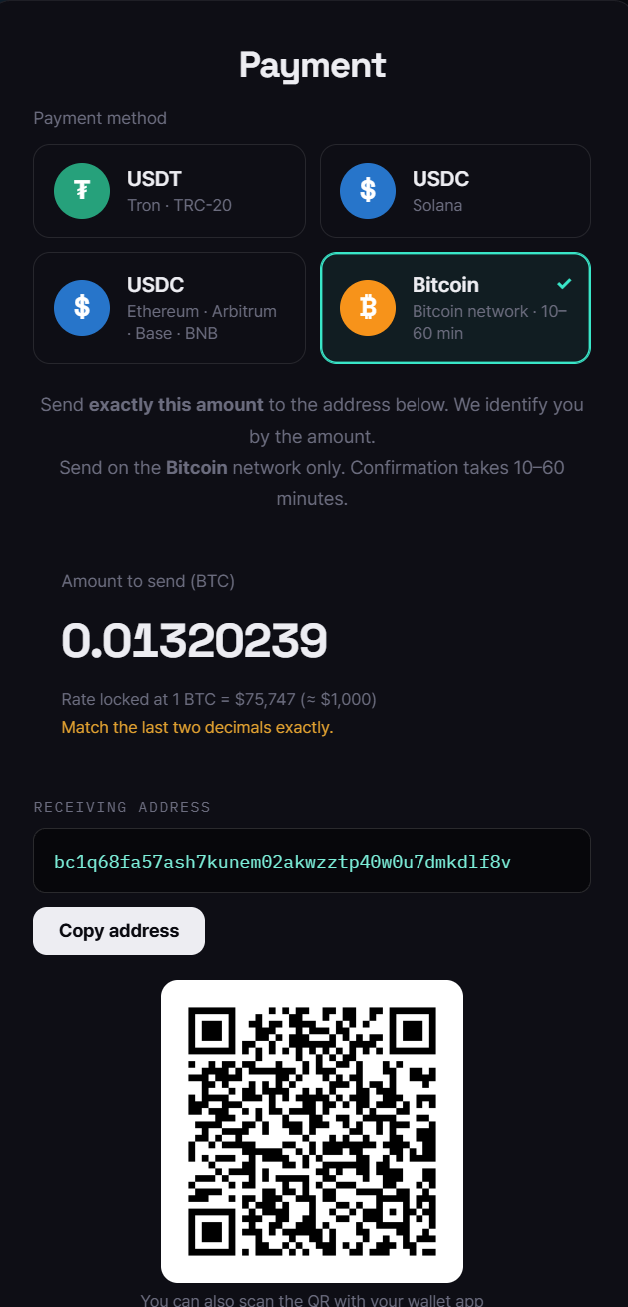
On the Account page press [Pay · Extend · $1000] and choose the coin: USDT (Tron TRC-20) · USDC (Solana) · USDC (Ethereum · Arbitrum · Base · BNB) · Bitcoin. The amount, the receiving address and a QR appear. Send the amount exactly: the last two decimals (e.g. 1000.54) tell us who paid. Once the deposit is confirmed your period is extended by 30 days automatically; you can close the page. An order stays valid for 60 minutes (Bitcoin 180).
Download and run
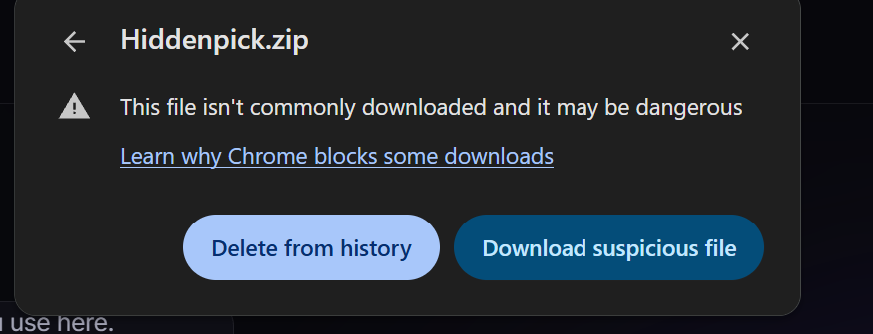
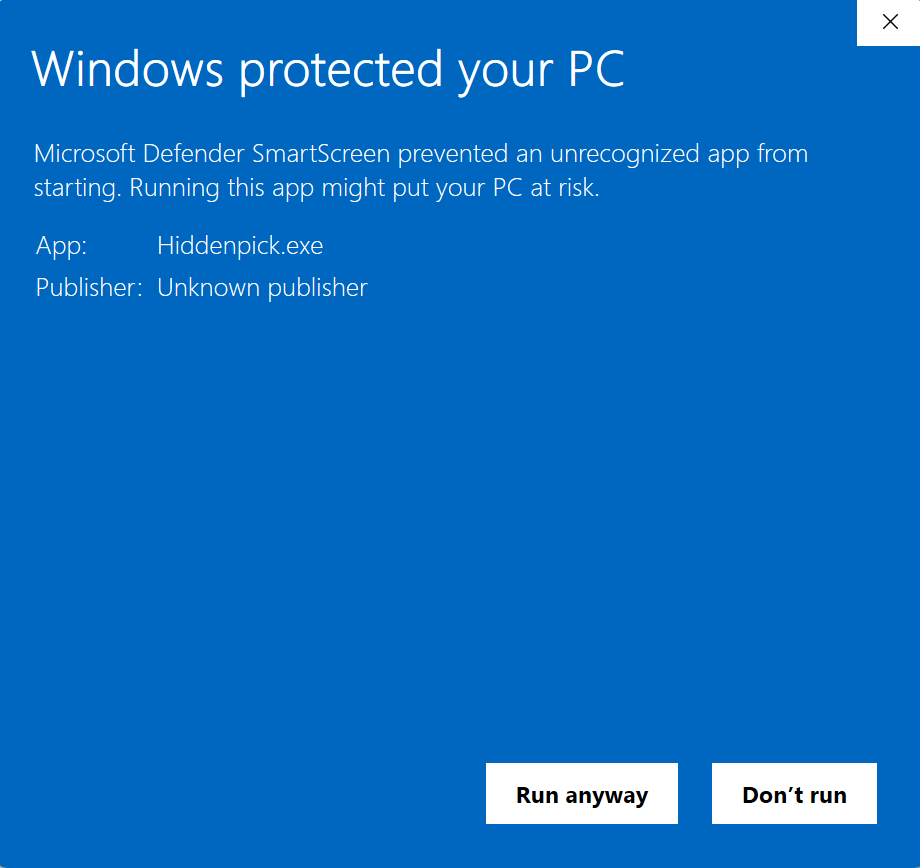
Open Download and press the Hiddenpick.zip button. If Chrome says “This file isn't commonly downloaded”, click the right-hand button [Download suspicious file]: a false positive on unsigned apps. The file is a .zip: right-click it → Extract All, then run Hiddenpick.exe from the extracted folder. Google Chrome must be installed.

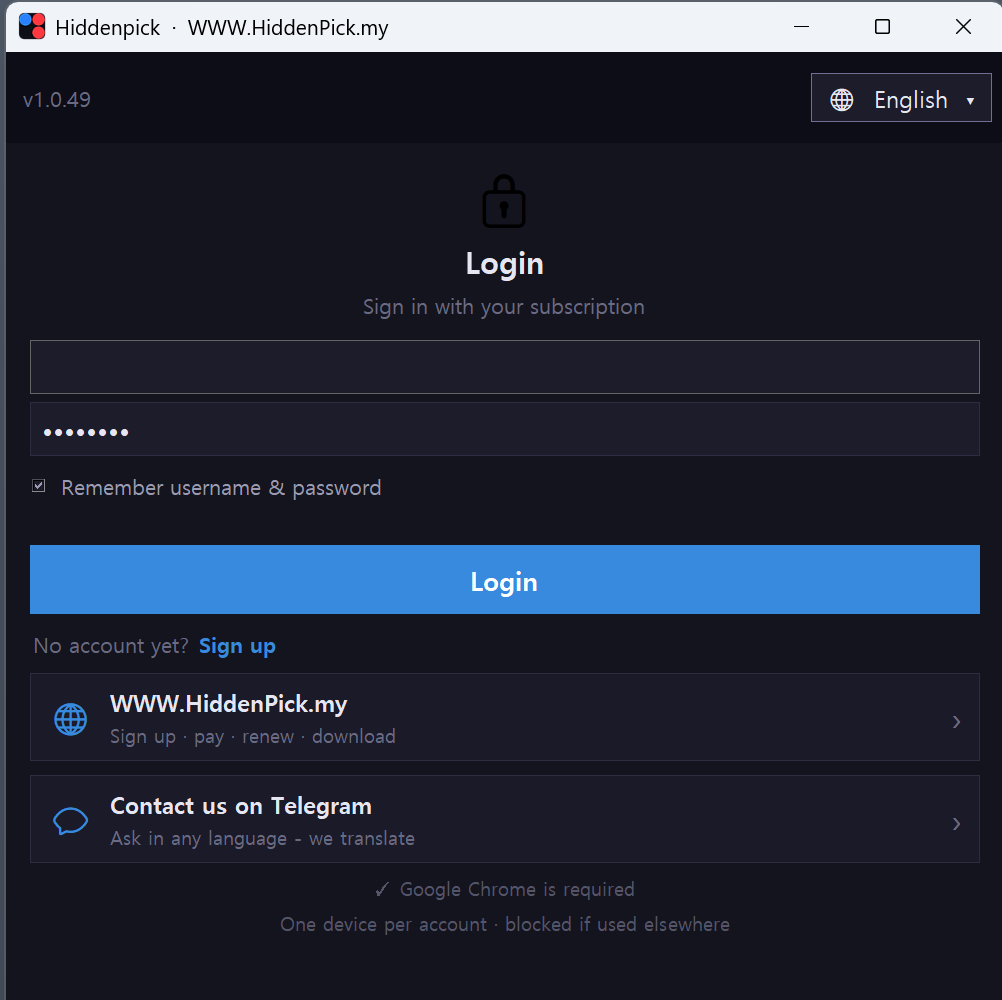
Log in with your account
Use the same ID you signed up with on this site. Your remaining days (D-N) always show at the top. Turn on "remember me" and later launches are one click.
Bet amounts
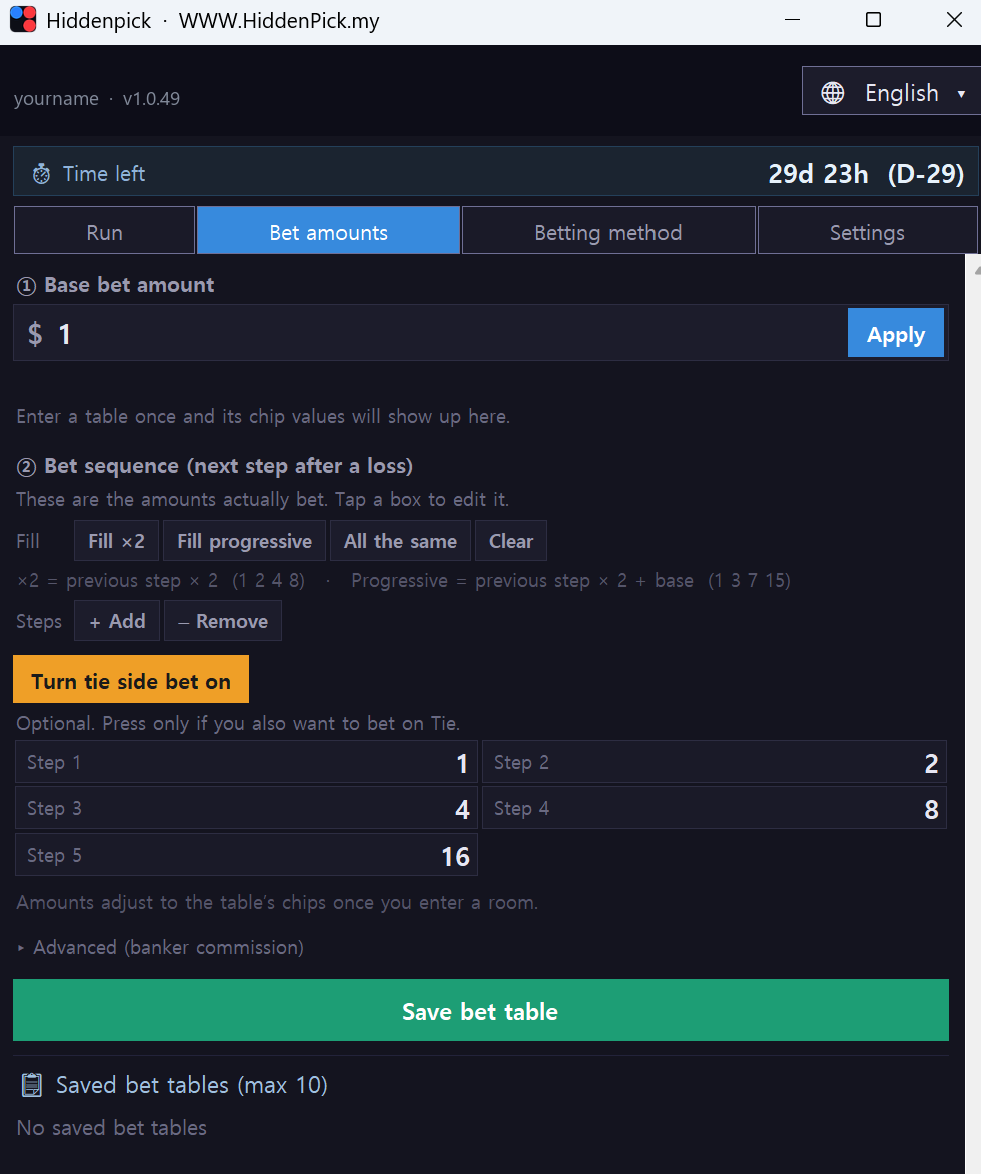
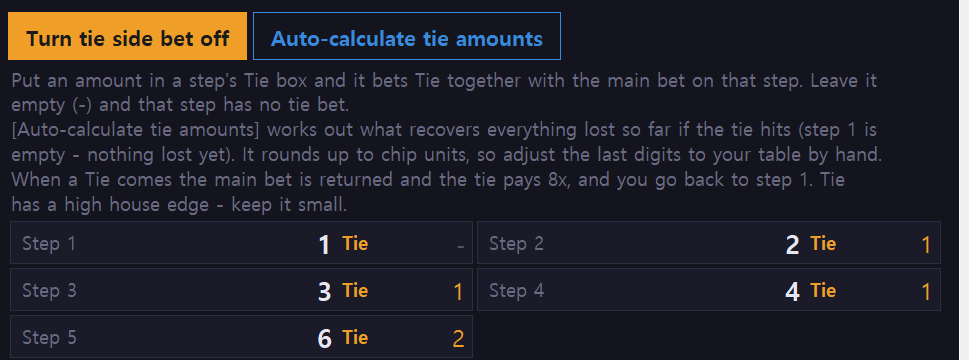
Enter the base amount and press [Apply]. Fill the step-up ladder with a button such as [Fill ×2], then [Save table]. Tick the ○ on the left of one saved table. Up to ten tables.
Betting method
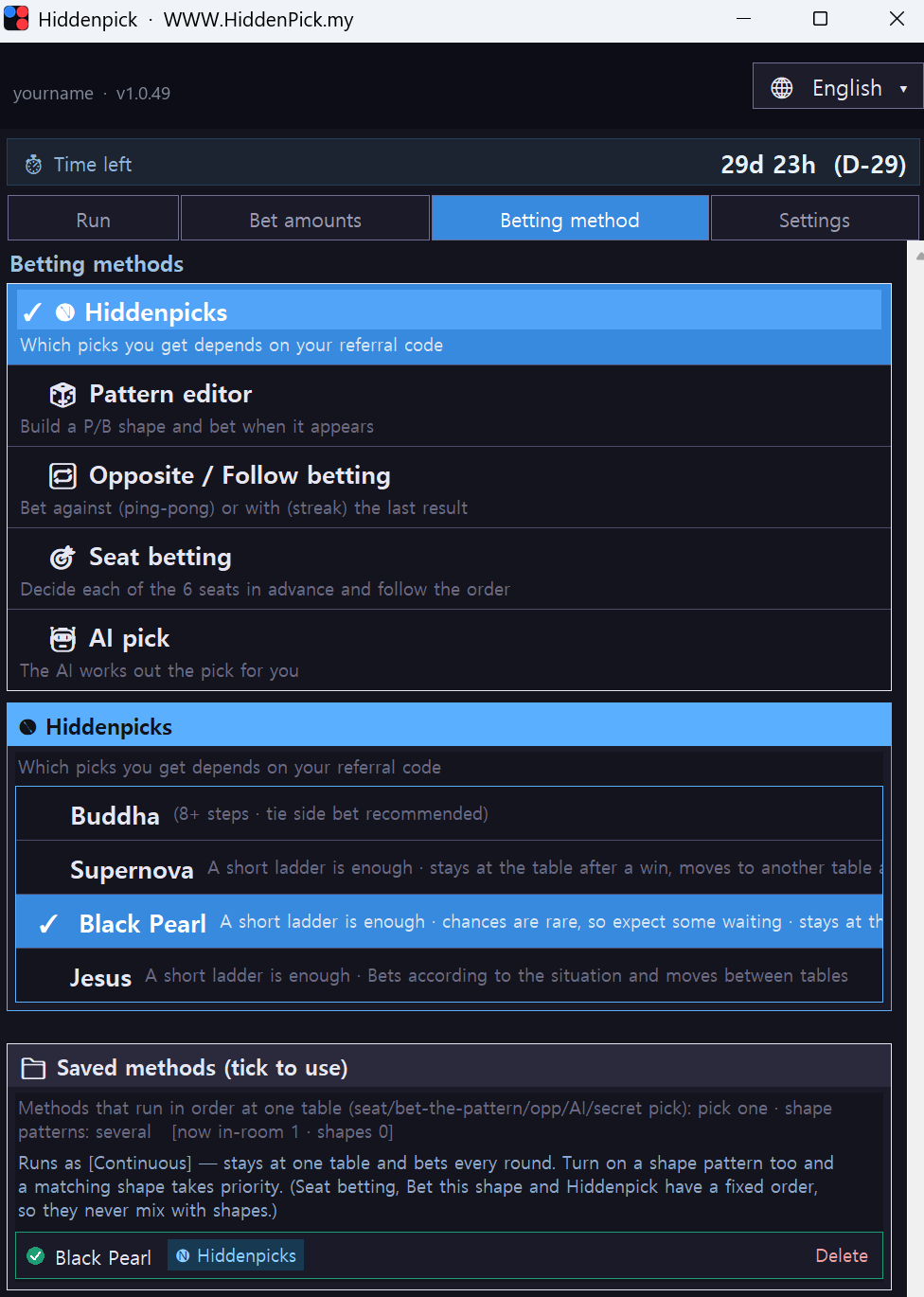
Pick one of five. Hiddenpick (opens by referral code) · Pattern editor (P/B shapes) · Ping-pong / Streak · Seat betting · AI pick. Press [Save], then tick it in the saved list below.
Run
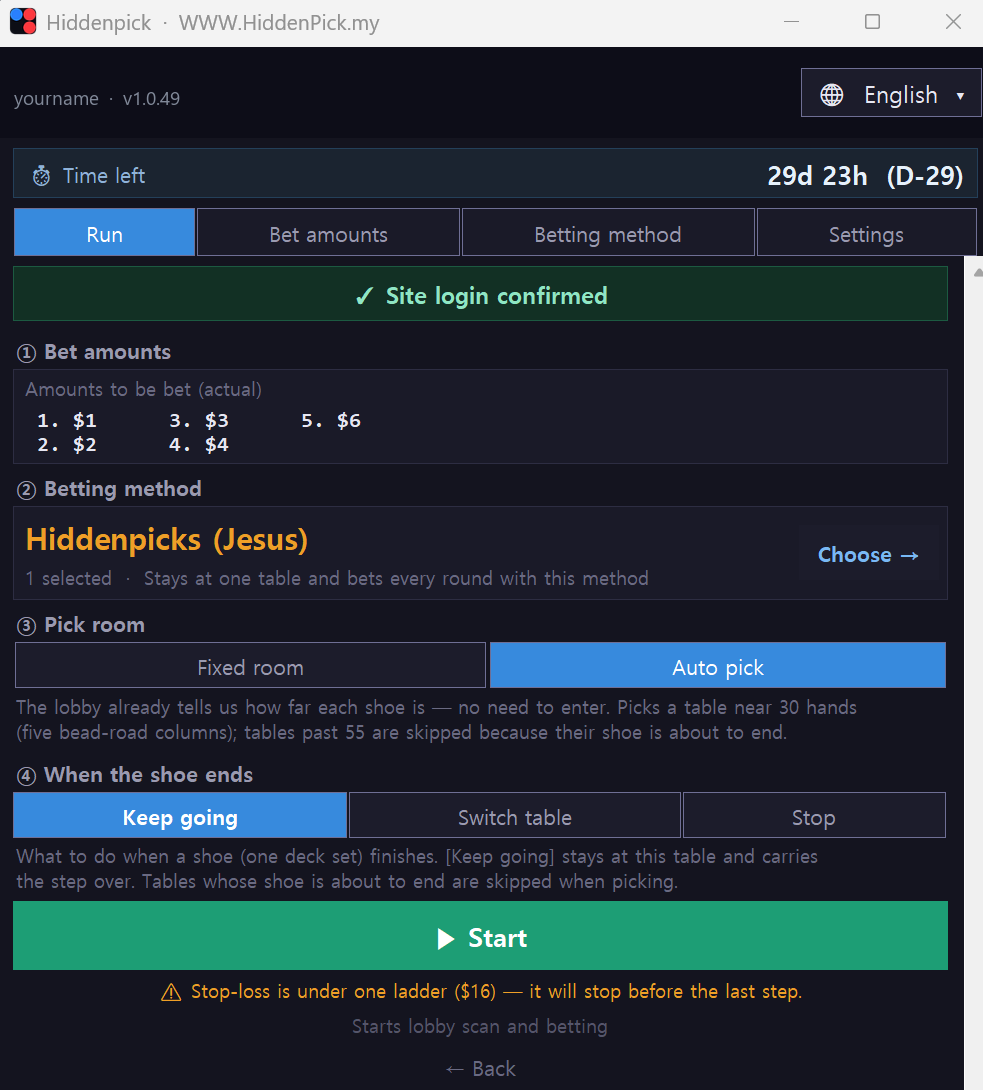
① Bet amount ② Method ③ Table: Fixed room (stay at the table you picked) or Auto pick (moves between tables that fit the method). ④ End of shoe: with a fixed room, choose Keep going (wait for the next shoe at the same table) or Switch table. Set the four and press [Start]. The green Site login confirmed bar at the top must be on before it can start.
Run screen
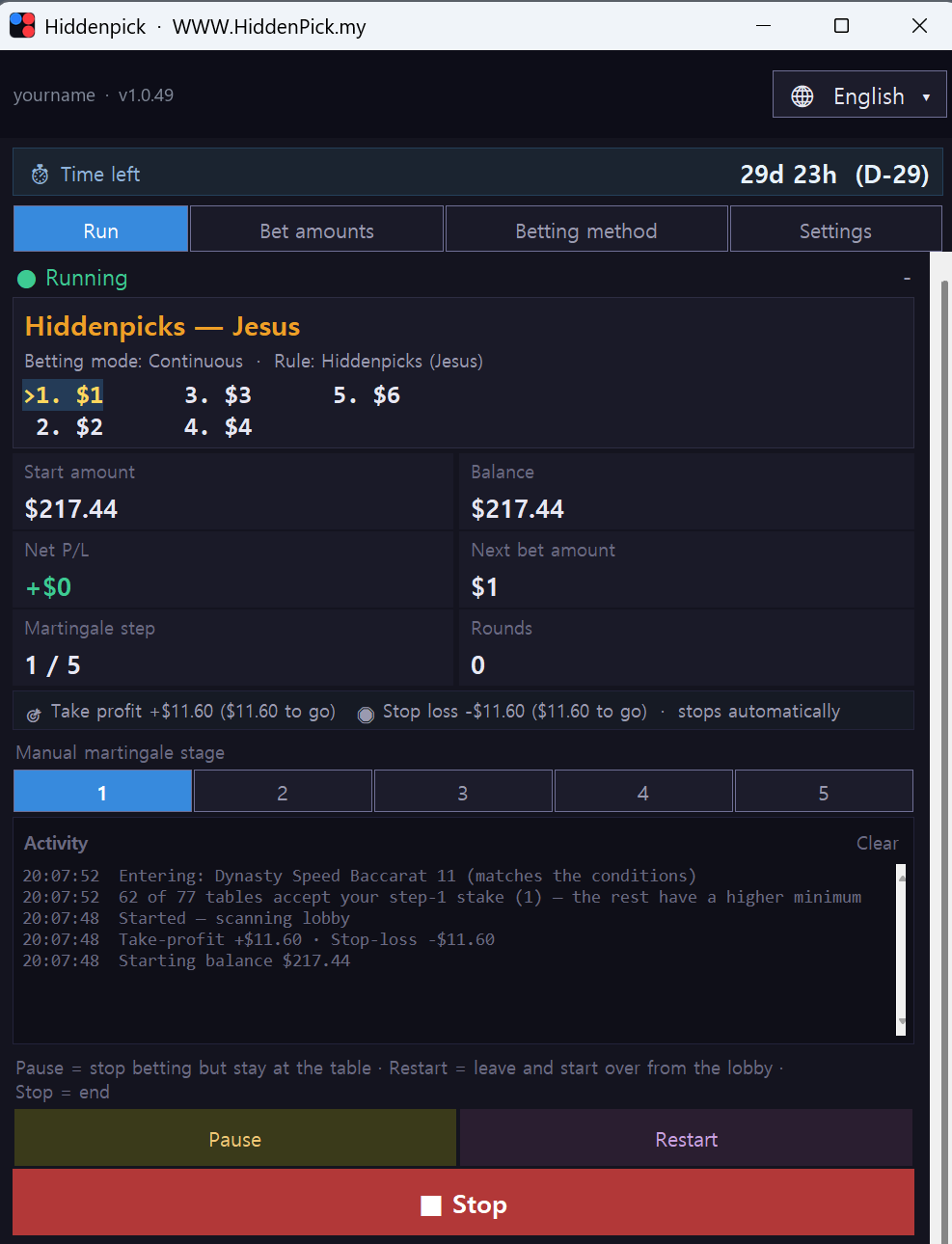
You see the current table, the step, running P/L and the next bet amount. The log shows newest first. [Pause] stops betting but stays at the table, [Restart] goes back to the lobby and starts over, [Stop] ends. Press one of the numbered boxes under Manual martingale stage to bet from that step by hand.
Take-profit · Stop-loss · Trailing stop
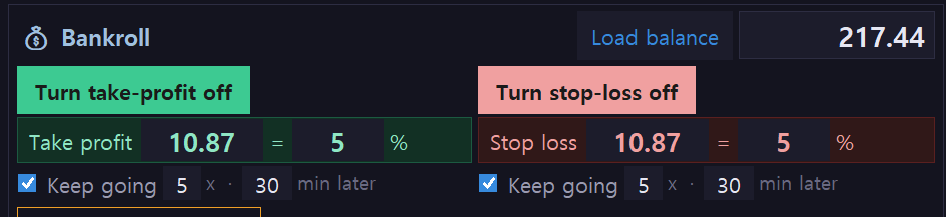
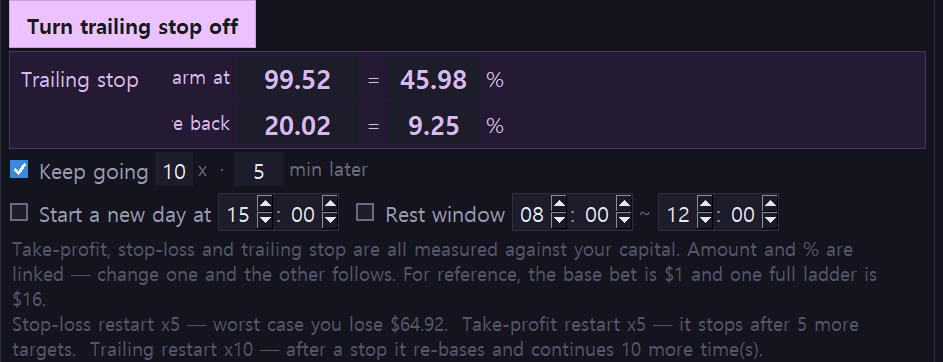
Open the Bankroll panel on the Run tab and press [Load balance] to read your Stake balance. Turn on Take-profit and Stop-loss and enter either an amount or a % of your bankroll: the other follows. When a limit is hit the bot stops by itself. Tick Keep going to restart automatically: “5 × · 30 min later” means up to 5 restarts, each after a 30-minute pause, and every restart re-measures the % against the new balance.
Settings: your referral link
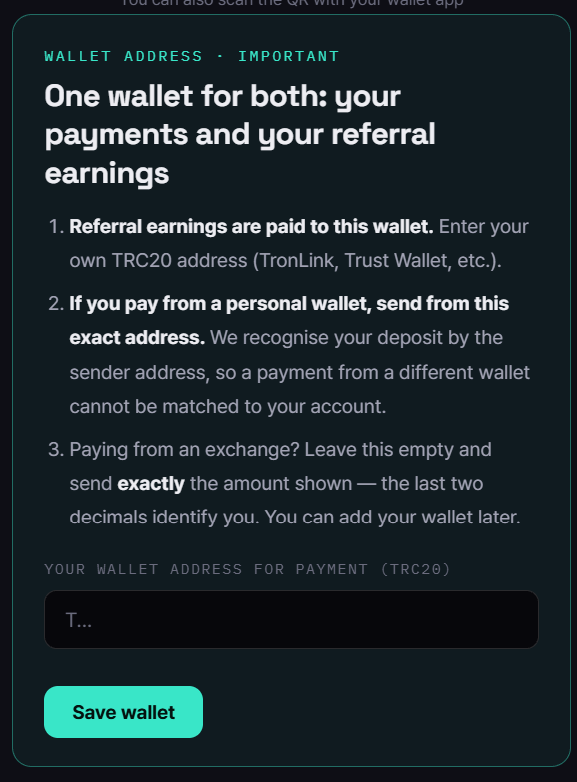
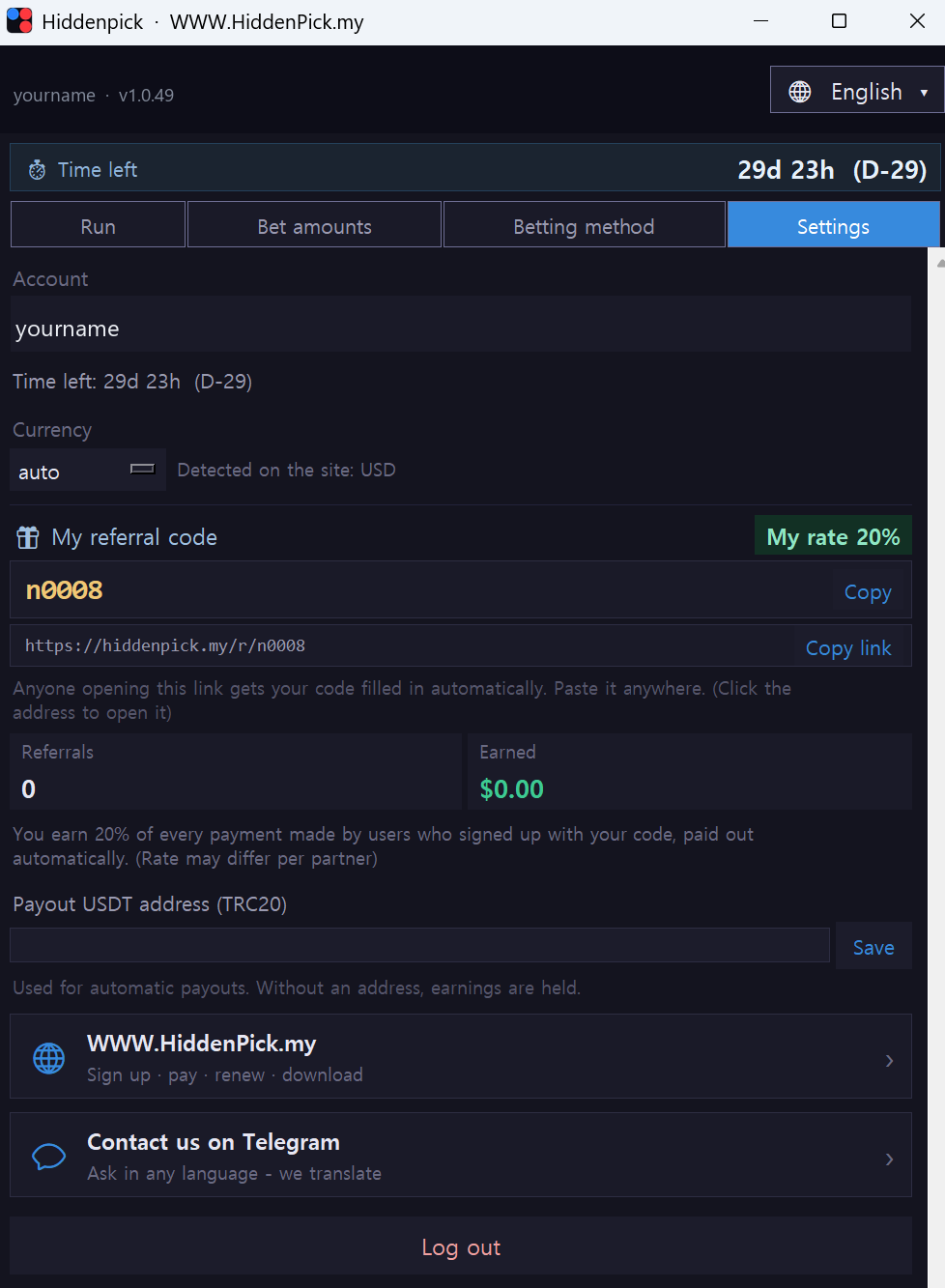
Your referral code and link live here. Every time someone who joined through it pays, a cut is credited to you, month after month. Enter the USDT (TRC20) address where you want it paid.
My Hiddenpick
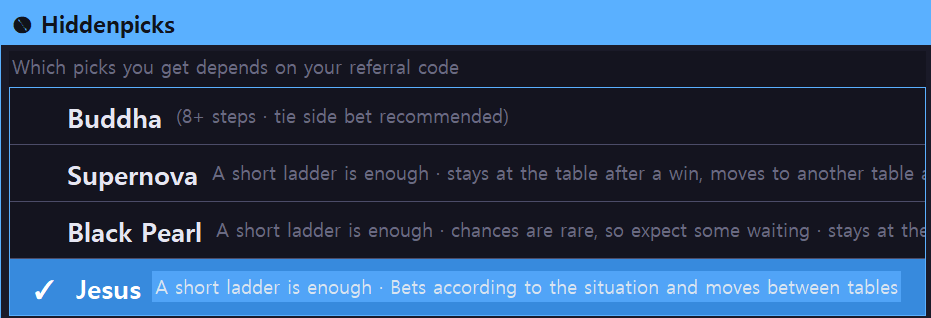
A member who asks for a secret pattern can, after review by the company, receive a pick with its own name that works only for people who joined with that member's referral code. Every time they pay, a cut comes to you month after month.
Team mode
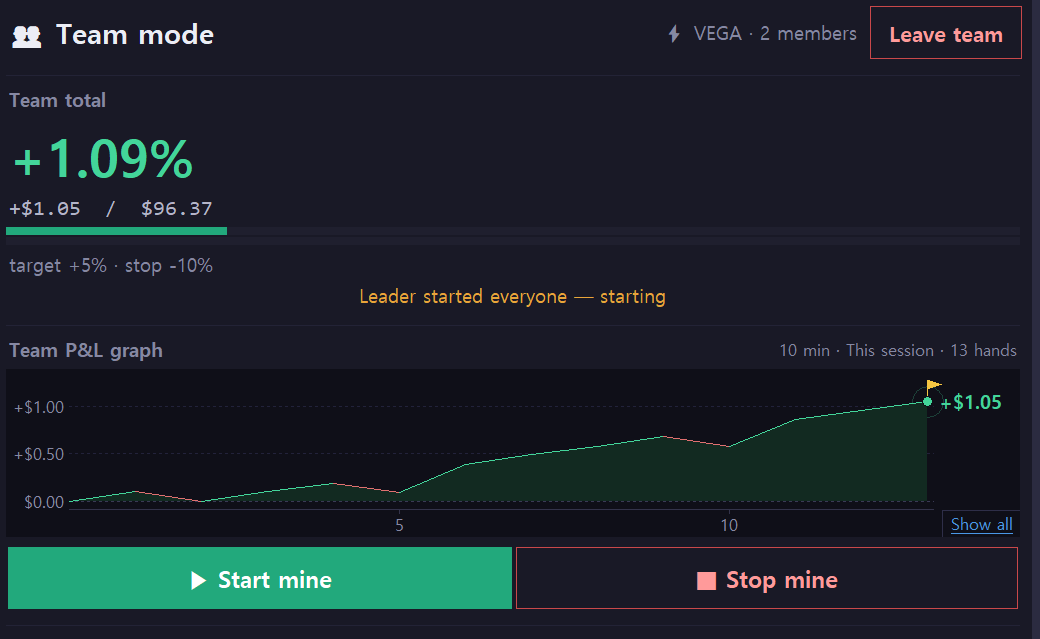
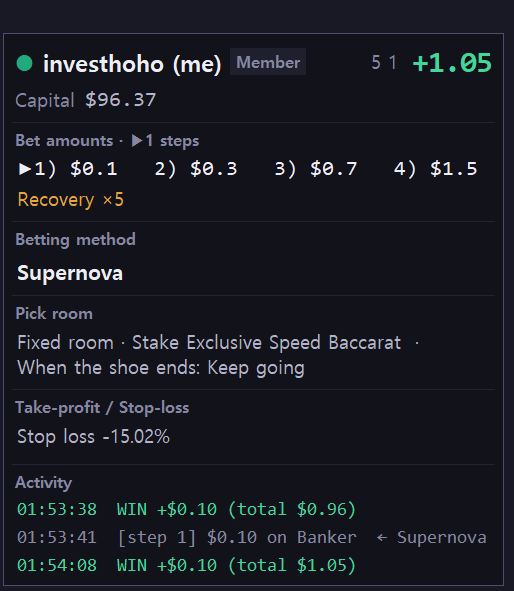
In Team mode on the Run tab press [Create team], then enter a member's username under [Invite member]. The member presses [Accept] in their own program and joins. The leader's screen shows one box per member with capital, P/L, bet amounts (with the current step), betting method, table, take-profit/stop-loss and the latest activity, all live. The leader controls everyone with [Start all] and [Stop all], one member at a time with the box's [Start], [Stop], [Reset step] and [Reset], and changes that member's table, pick or room with [Change]. Team rules set the combined take-profit/stop-loss %, what happens if one member drops (stop everyone / continue without them), and how many times to resume after how long.
Common questions
It keeps changing tables. Is that normal?
Yes. Pattern hunting enters the table that meets the condition and returns to the lobby when it no longer bets there. Casinos take the seat back if you only watch, so it leaves on purpose.
I got SESSION EXPIRED
That is the Stake session, not the program. Log in to Stake again in Chrome; the program detects it and carries on.
It never enters some tables
Tables your step-1 amount cannot cover (higher minimum bet) and tables whose shoe is about to end are excluded up front.
How do I change the language?
The language button at the top right, twelve languages. This website follows the same choice.
When a new version comes out
A blue banner appears at login. Close the program and overwrite it with the new file. Your settings and bet tables are tied to your account and stay.
Price and period
$1,000 a month, paid in USDT (TRC20), USDC (Solana / Ethereum / Arbitrum / Base / BNB) or Bitcoin. Each payment adds 30 days to whatever is left. Which Hiddenpicks open is decided by the referral code you signed up with.